Smart Wealth Tracking

Money Manager: Expense Tracker

Expense tracker, budget planner, bill reminders, and net worth in one app.

Money Manager is an expense tracker and budget planner that helps you manage spending, bills, savings goals, debt, and net worth in one place. Record expenses, income, and transfers in seconds. Stay on top of monthly budgets, upcoming bills, and future balances with clear reports, reminders, and forecasts.

Offline-firstBudgetsBillsGoalsDebt payoffReportsNet worthInvestments

Mobile Mock

App preview

Current Build
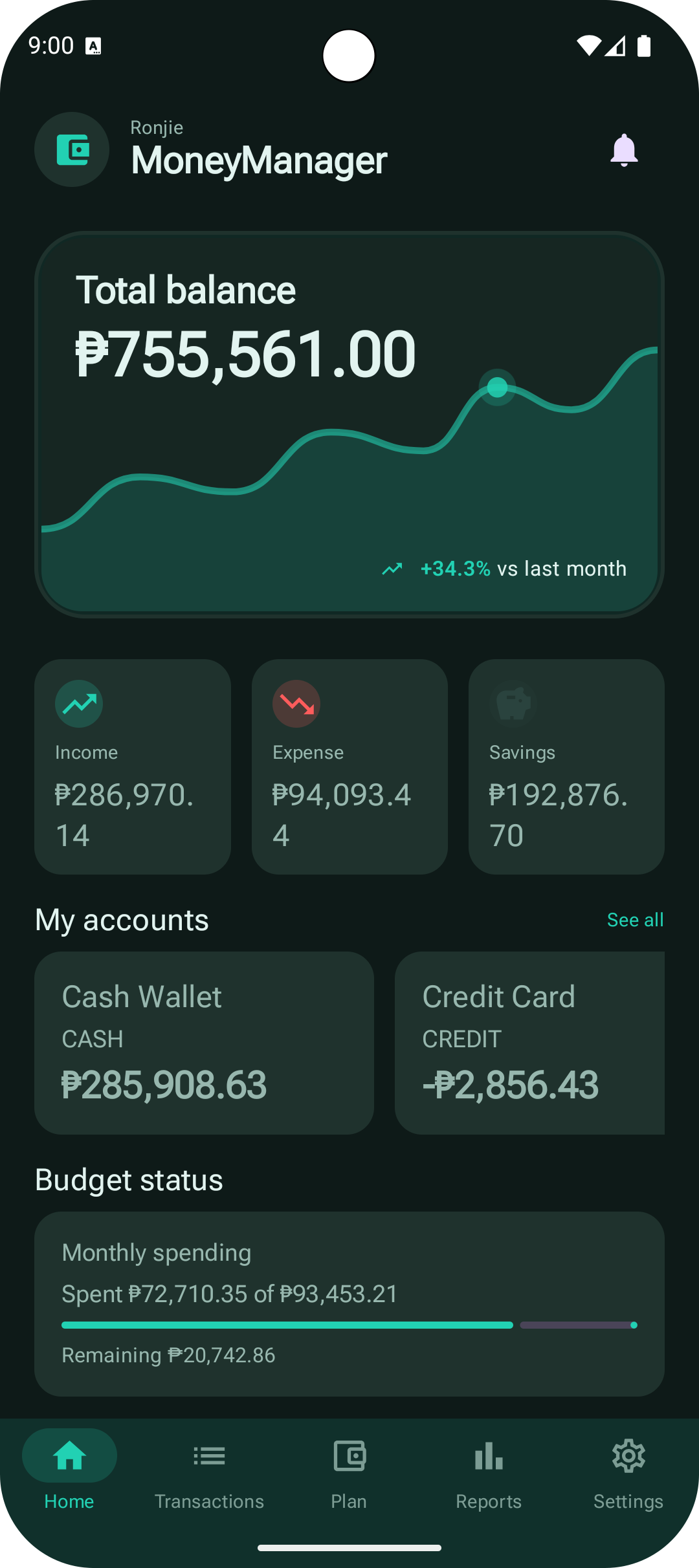
MoneyManager home dashboard with total balance, debt and loan cards, account cards, and bottom navigation

Feature Set

Everything you need to track, plan, and review your money

See full listing

Dashboard with balances, budgets, bills, and goals

Open to a home view that surfaces your total balance, monthly trend, account snapshots, savings goals, and upcoming bills.

  • Total balance + trend chart
  • Budget and savings summaries
  • Upcoming bills and subscription prompts

Accounts, credit cards, and category management

Organize wallets, bank accounts, credit cards, and categories with sorting, archive, statement, and visual customization options.

  • Multiple account types
  • Credit card statement support
  • Custom category icons and colors

Fast transaction tracking with search and filters

Record income, expense, transfer, and fee entries quickly, then find anything later with filters, presets, grouping, and search.

  • Income, expense, transfer, and fee entries
  • Saved filter presets and calendar view
  • Split transactions and quick add

Budgets, bills, goals, forecasts, and financial health

Plan monthly spending and longer-term priorities with budget cards, bill reminders, savings goals, forecasts, and health views.

  • Monthly budget progress
  • Bills reminders, snooze, and mark paid
  • Goals, forecasts, and finance health views

Debt payoff and obligation tracking

Premium

Stay on top of debt with payoff planning, borrowed and lent obligation records, and detailed settlement flows.

  • Snowball and avalanche payoff planning
  • Borrowed and lent obligation tracking
  • Settlement, archive, and history views

Reports, net worth, investments, and trends

Review spending from multiple angles with charts, breakdowns, top merchants, trend views, net worth, and investments dashboards.

  • Spending overview and breakdown charts
  • Top categories, tags, and merchants
  • Net worth and investments dashboards

Rules, recurring transactions, and reminders

Premium

Automate repetitive finance work with rules, recurring entries, bill reminders, and background reminder jobs.

  • Transaction rules engine
  • Recurring transaction generation
  • Bill and daily reminder scheduling

CSV tools, backups, and receipt OCR

Bring data in, export it out, and keep records complete with CSV and spreadsheet tools, local backups, attachments, and OCR assistance.

  • CSV and spreadsheet import
  • Backup export and restore
  • Receipt attachments with OCR suggestions

Themes, language, and app security

Tune the app to your setup with currency and month-start preferences, theme palettes, fonts, privacy mode, and app lock.

  • Theme palettes, fonts, and custom colors
  • Language, currency, and month-start settings
  • PIN, biometrics, and privacy mode

Widgets, shortcuts, and deep links

Premium

Jump into key actions faster with launcher shortcuts, widgets, and deep links that open the screens you use most.

  • Quick add launcher shortcuts
  • Widget support and refresh actions
  • Deep-link routing to key destinations
Product Preview

Current screens from the latest MoneyManager build

Home, transactions, planning, reports, automation, and theme customization from the current Android app.

MoneyManager home dashboard with total balance, debt and loan cards, account cards, and bottom navigation

Home dashboard

The current home screen combines balance trends, debts and loans, account snapshots, and quick entry actions.

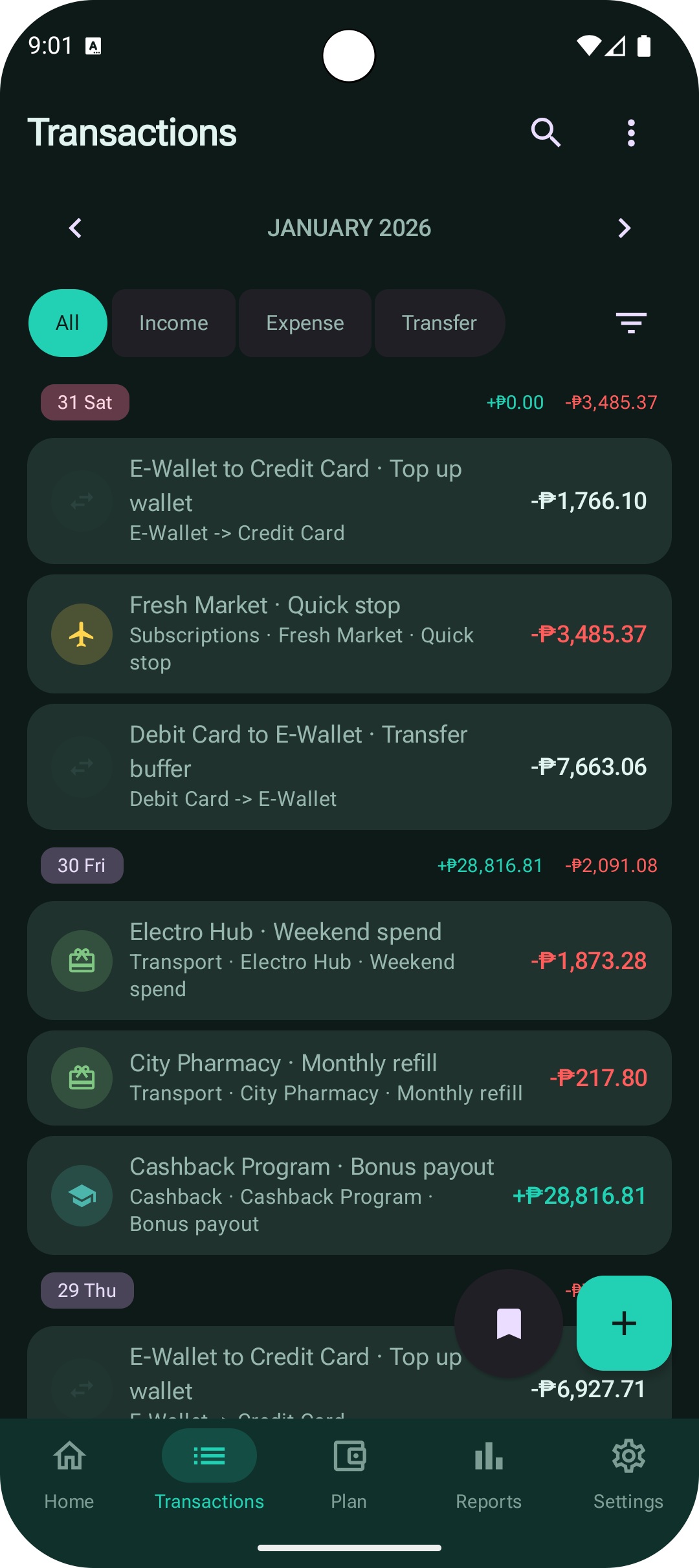
MoneyManager transactions screen with monthly totals, filter chips, transaction rows, and quick action buttons

Transactions list

Scan recent entries, switch transaction types, and jump between list and calendar views from one screen.

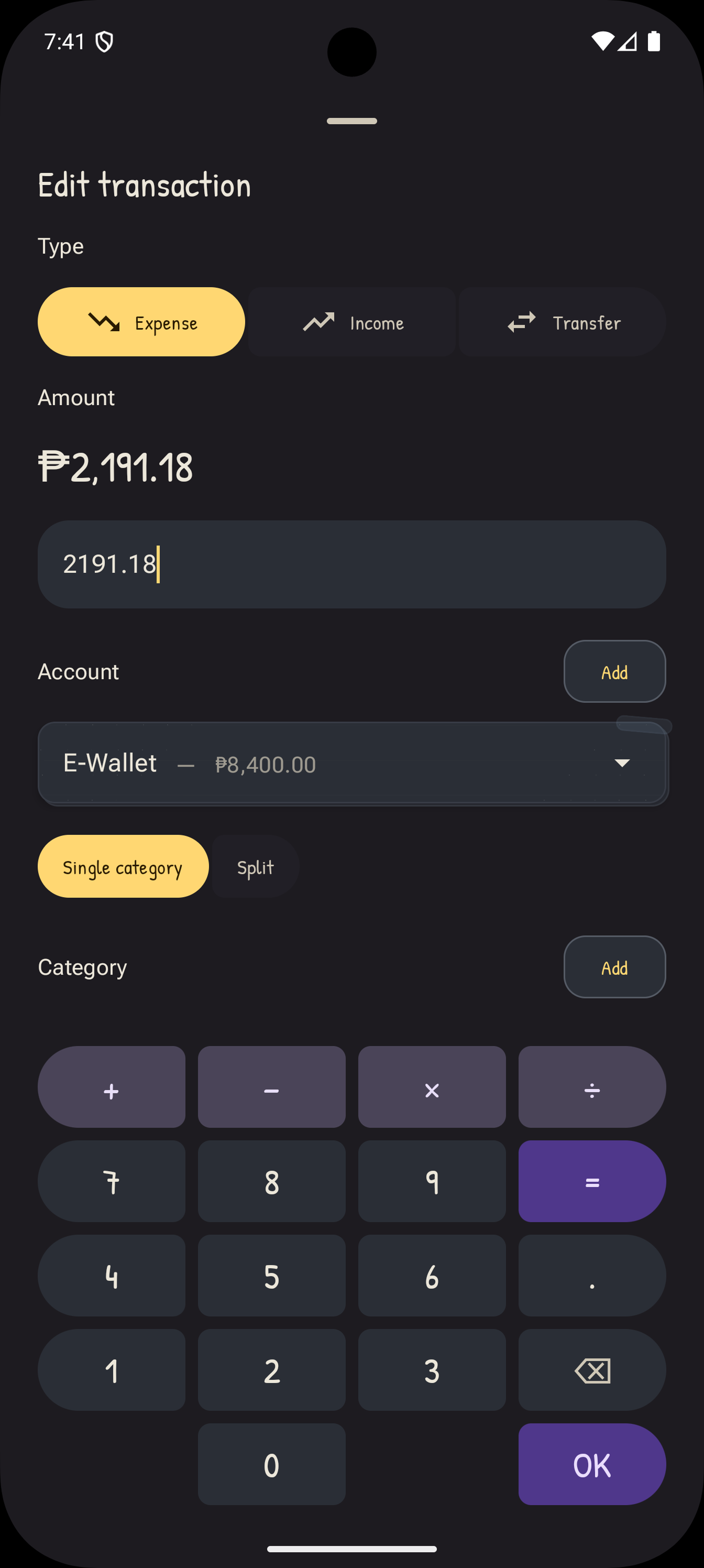
MoneyManager edit transaction screen with type picker, amount entry, account selector, and numeric keypad

Transaction editor

Edit or add entries with focused amount input, account selection, and category mode controls.

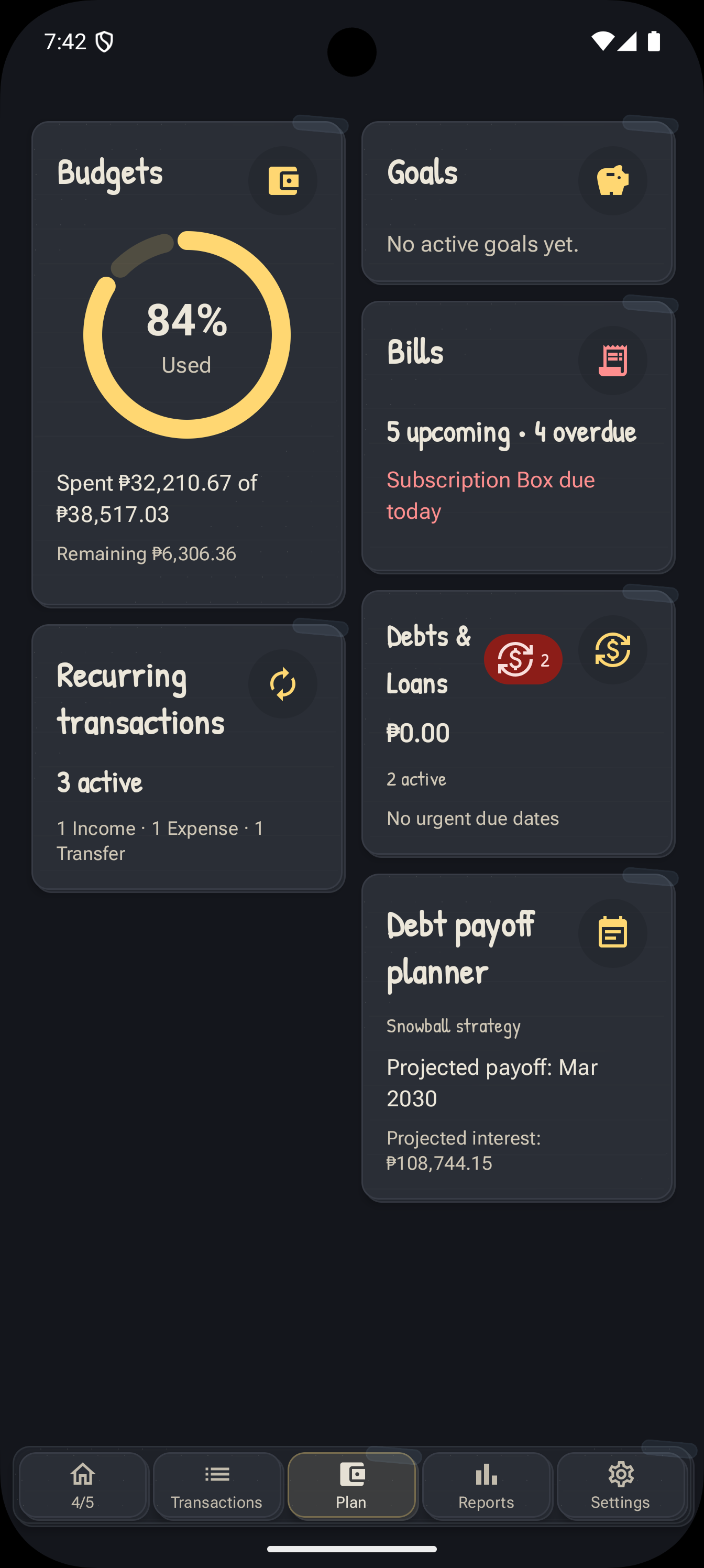
MoneyManager plan screen with budgets, goals, bills, recurring transactions, debts and loans, and debt payoff planner cards

Plan hub

The planning hub surfaces budgets, goals, bills, recurring entries, debts and loans, and payoff planning.

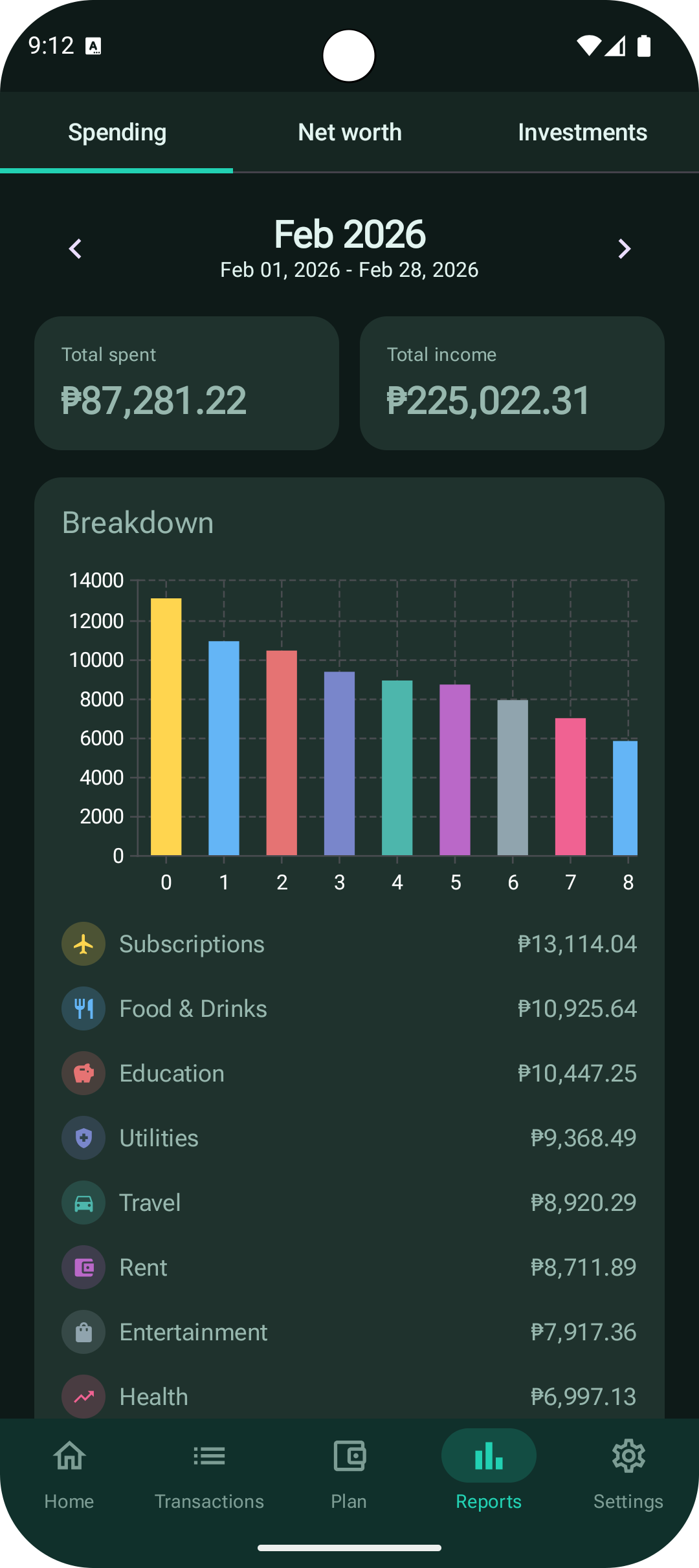
MoneyManager reports screen showing spending tabs, monthly totals, and a category breakdown chart

Reports breakdown

Review spending totals and category breakdowns with the current reports dashboard.

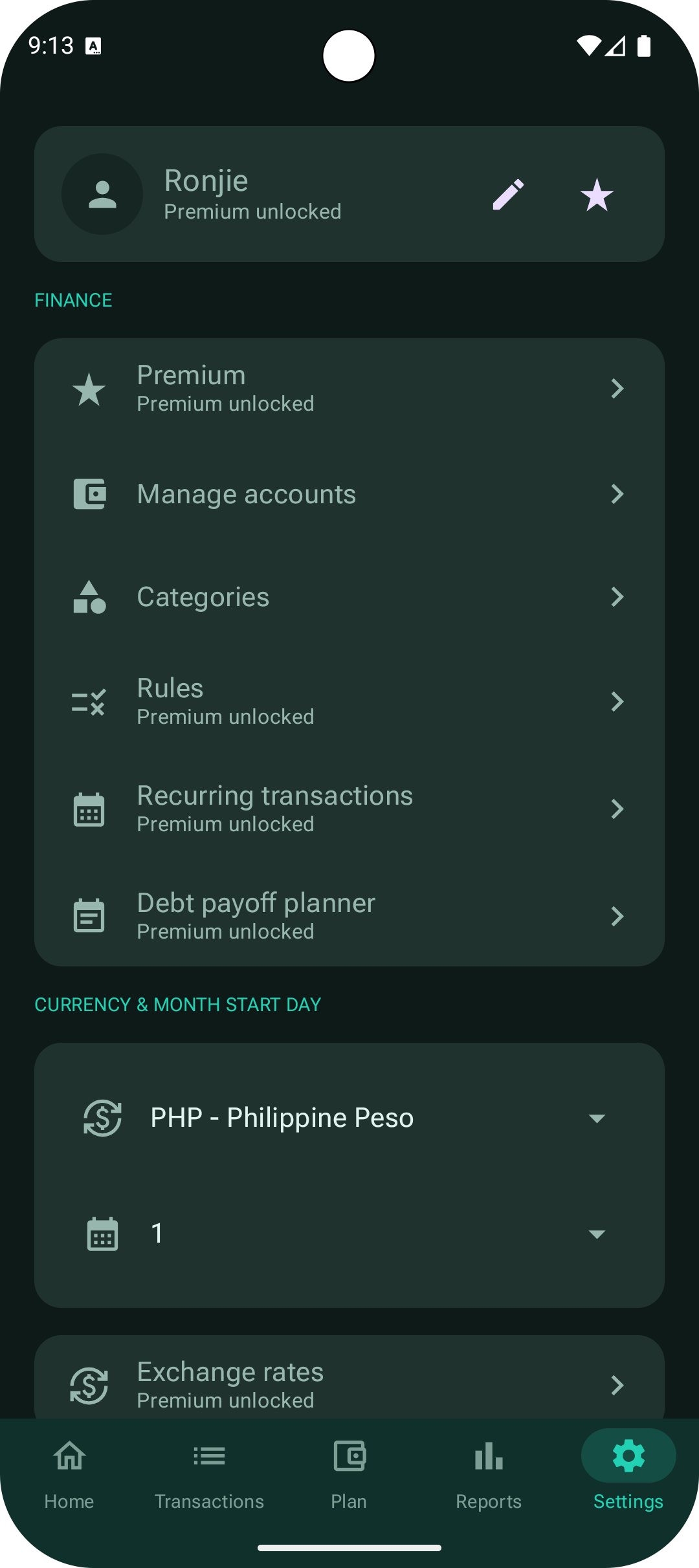
MoneyManager settings screen with premium, account management, categories, rules, currency, and exchange rate settings

Finance settings

Manage premium tools, accounts, categories, rules, currency, and exchange rate preferences.

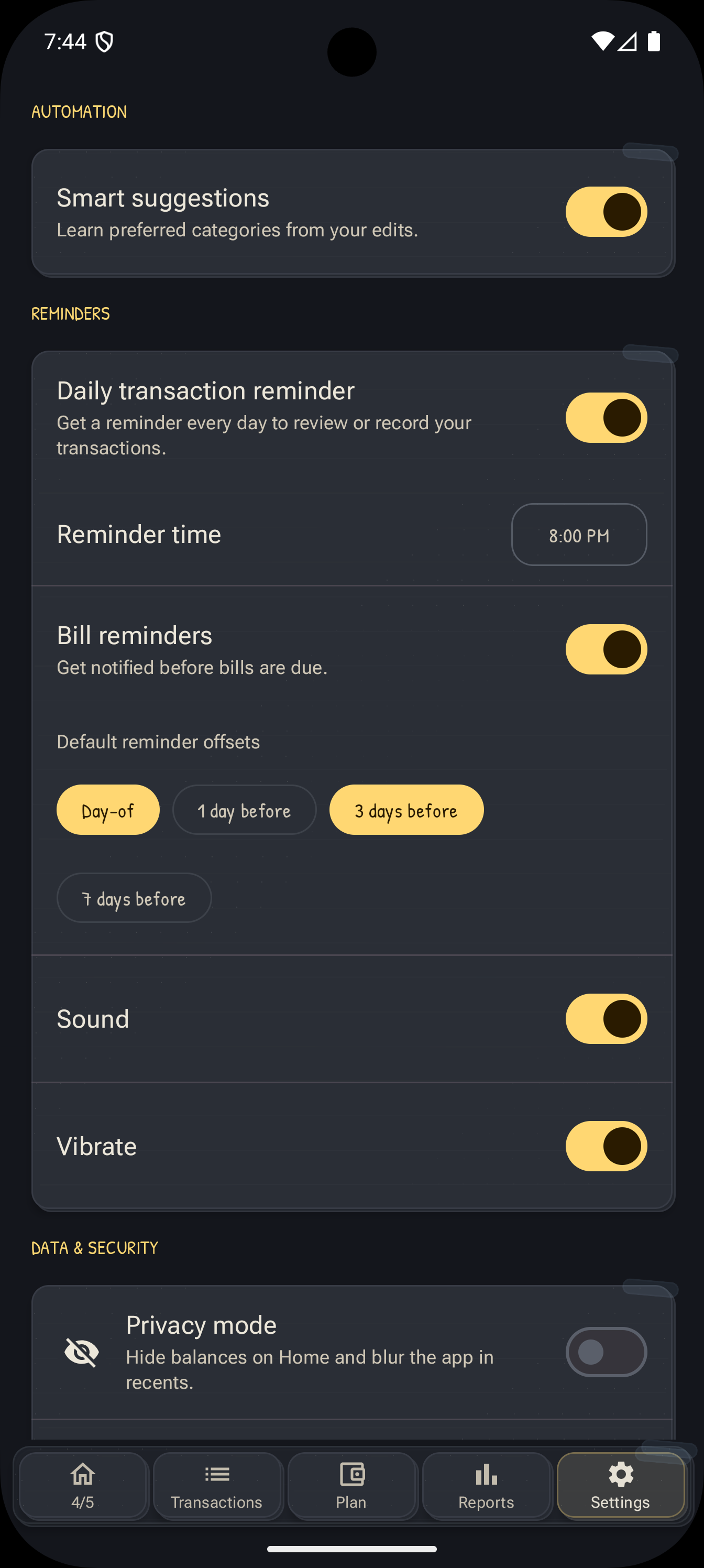
MoneyManager settings screen with smart suggestions, daily transaction reminders, bill reminder offsets, and privacy mode

Automation and reminders

Configure automation, daily reminders, bill reminder offsets, sound, vibration, and privacy mode.

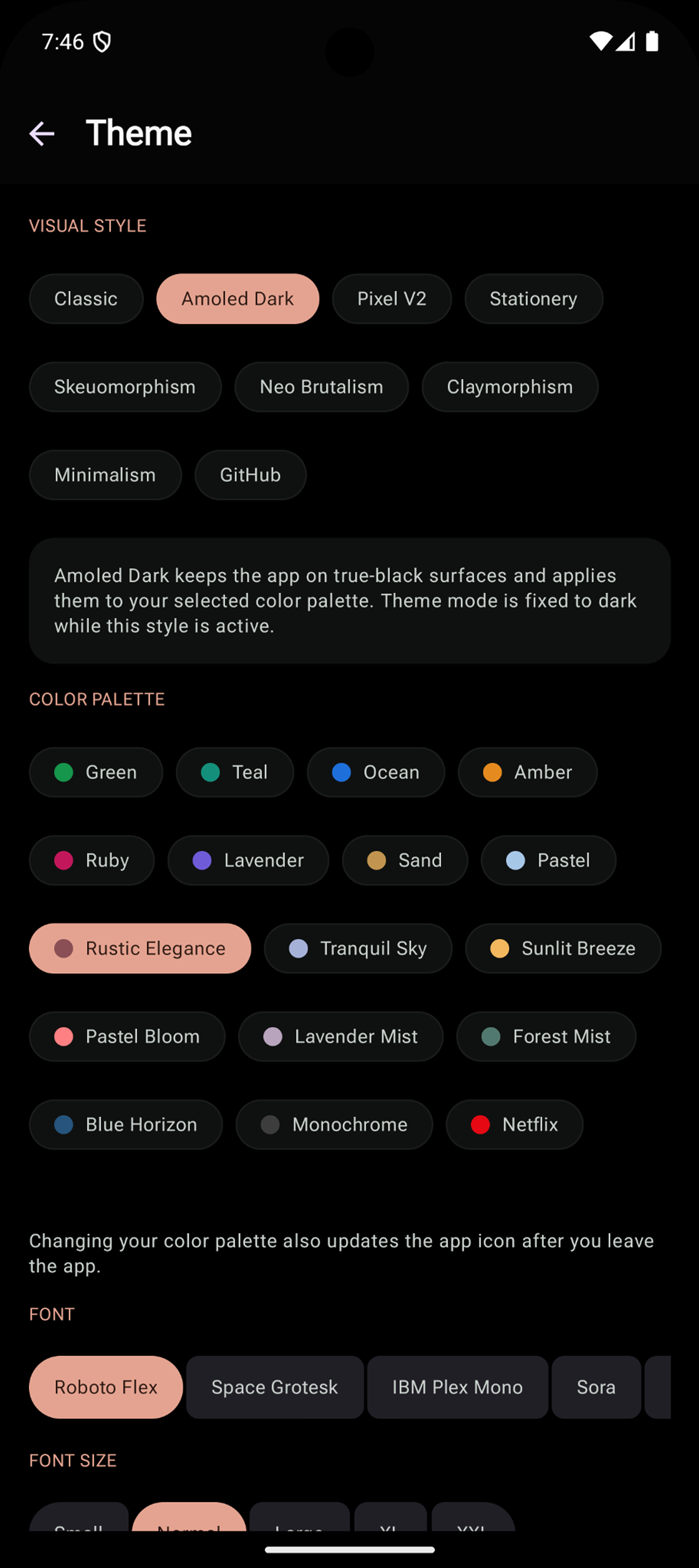
MoneyManager theme settings screen with visual style presets, color palettes, and font selection

Theme customization

Switch visual styles, palettes, and fonts to match the look you want.

Trust and Privacy

Built for private and practical money tracking

  • Offline-first by default: core finance data stays on your device unless you export it.
  • No account required for tracking, planning, reports, and daily reminders.
  • PIN/biometric app lock, privacy mode, and local backup/restore are available in-app.

Get Started

Install MoneyManager and keep every peso accountable

Go from daily transactions to monthly reports and long-term goals with one app built for practical finance tracking.